 Fonco Suite
Chrome extension for eBay dropshippers
Your eBay orders, bought on AliExpress, without the copy and paste.
Fonco Suite brings eBay orders into your own Google Sheet, fills the buyer's address at AliExpress checkout, writes what you paid back into the right row, and gets tracking ready for eBay.
Free during early access. You need a Google account and a Google Sheet for your orders.
How it works
Four steps, all from your browser. Your sheet stays the place where everything is recorded.
- Import eBay ordersOrders awaiting dispatch go into your sheet, in the columns you already use. Duplicates are skipped.
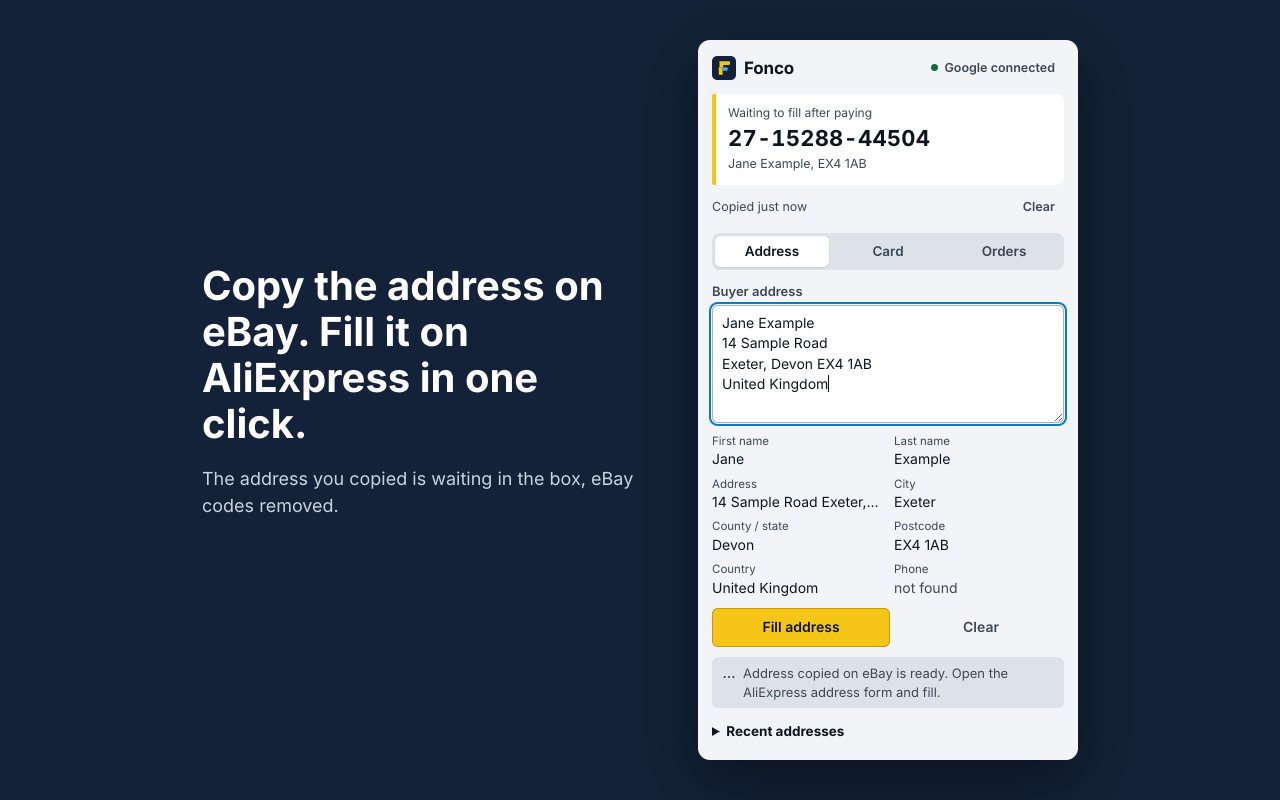
- Fill the addressCopy the buyer's address on eBay. At AliExpress checkout, one click fills it in.
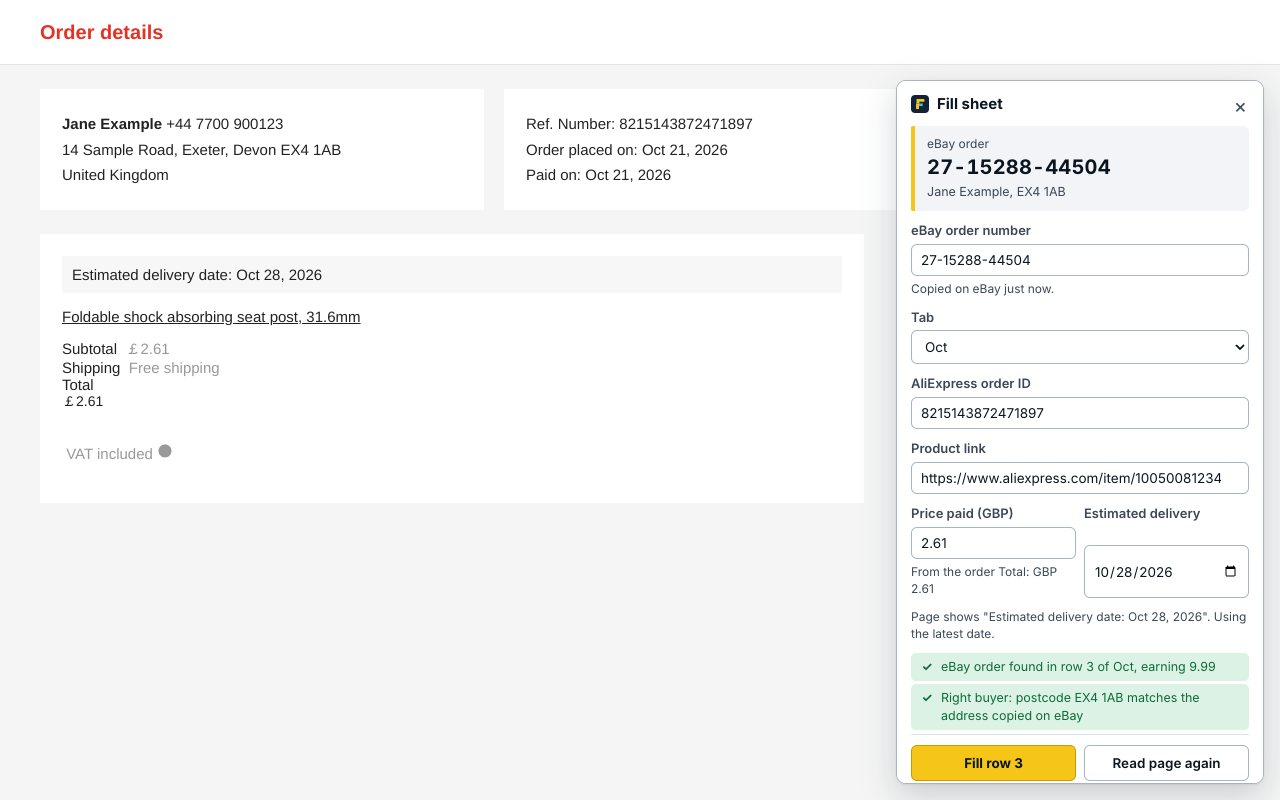
- Fill the sheet after payingOn the AliExpress order page, Fonco writes the order ID, link, price and delivery date into the right eBay row.
- Upload trackingFonco checks each AliExpress order and makes the CSV you upload in Seller Hub, then marks the rows as submitted.
Checks before it writes
It matches the buyer's postcode to the AliExpress order, refuses an order ID that's already in the sheet, won't overwrite filled cells, and lets you undo a fill.
Works across browsers
Copy an address in one browser profile and buy in another. Orders waiting to be bought are shared through your own sheet, so each browser sees them.
Your data stays yours
There is no Fonco server holding your orders.
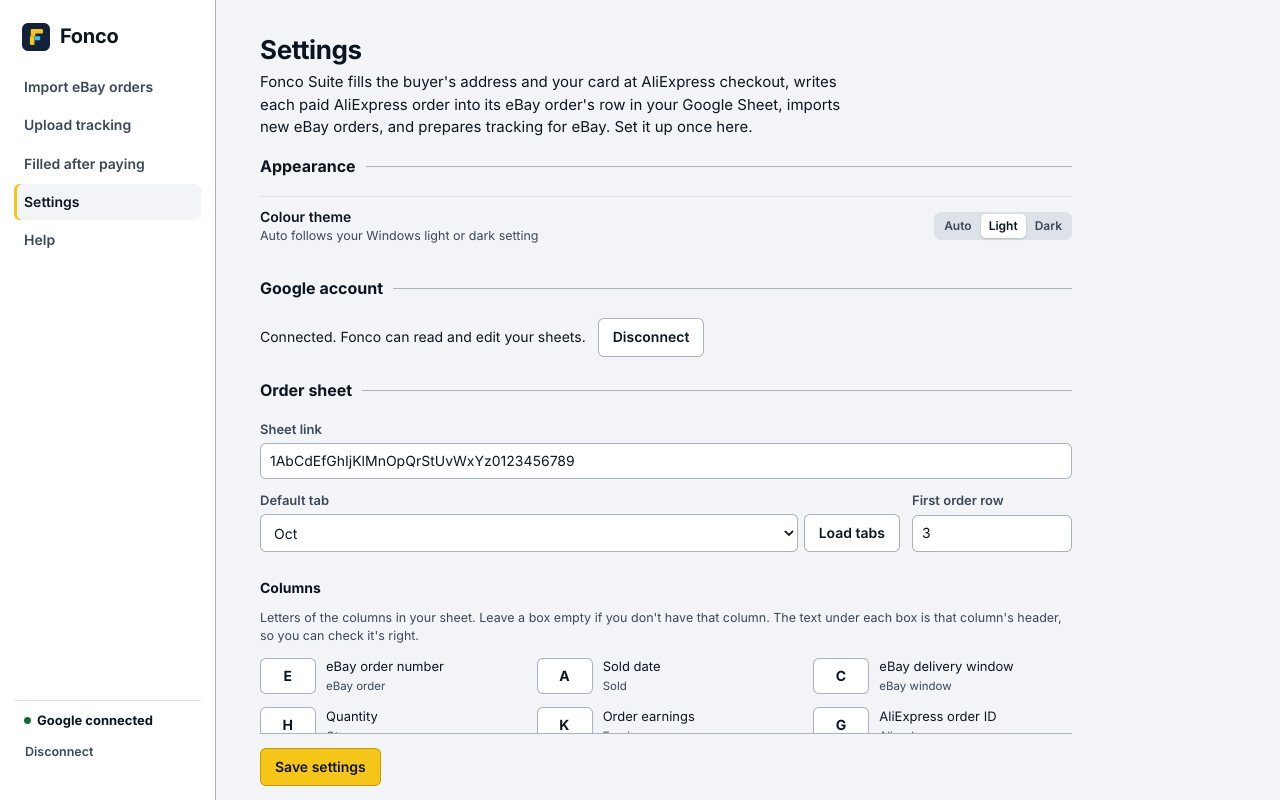
Your own Google SheetOrders are written to the sheet you choose, with your Google account.
Stored in your ChromeSettings, saved addresses and an optional card stay in the extension on your computer.
No tracking or adsNo analytics, no advertising, nothing sold or shared. Read the privacy policy.